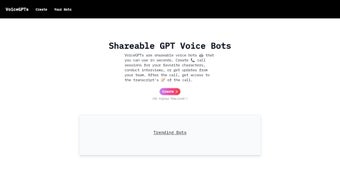

Download VoiceGPTs – AI Voice Bot Creator, Free Online Tool
Overview
VoiceGPTs is a cutting‑edge, browser‑based platform that brings the power of AI‑driven voice bots to anyone with an internet connection. In an era where voice assistants dominate smart homes, customer service desks, and interactive entertainment, many developers and marketers still face steep barriers: lengthy sign‑up processes, costly API usage, and a steep learning curve that requires programming expertise. VoiceGPTs eliminates those obstacles by offering a zero‑friction, no‑account‑required environment where users can design, customize, and publish fully functional voice bots in a matter of minutes.
The tool’s core philosophy is democratization – it removes technical gate‑keeping and lets creators focus on conversation design rather than infrastructure. Whether you are a small business owner seeking a quick survey bot, an educator building a virtual tutor, a HR professional simulating interview scenarios, or a game developer needing an in‑game character that talks, VoiceGPTs adapts to a wide range of use cases. One of its most compelling capabilities is automatic transcription: every spoken interaction is captured in real time, turned into readable text, and stored for later analysis.
This feature not only saves time on manual note‑taking but also provides valuable data for sentiment analysis, compliance auditing, and content repurposing. The platform runs entirely in the cloud, meaning there is no need for downloads, installations, or hardware upgrades. It supports all modern browsers on Windows, macOS, Linux, Android, and iOS, delivering a seamless experience whether you are on a desktop workstation or a mobile device.
Security is baked into the architecture; all communications are encrypted with TLS 1.3, and transcripts are stored only for the retention period you specify, after which they are automatically purged unless you export them. In short, VoiceGPTs is a free, secure, and instantly accessible solution that empowers creators, marketers, educators, and developers to bring AI voice experiences to life without the usual technical and financial barriers.
Key Features & Benefits
- Instant Bot Generation: Build a voice bot in seconds using a simple drag‑and‑drop interface.
- No Sign‑Up Required: Start creating immediately—no email, password, or verification needed.
- Multi‑Purpose Templates: Choose from pre‑designed templates for interviews, surveys, character calls, team updates, and more.
- Live Transcriptions: Every spoken exchange is automatically transcribed and saved for later analysis.
- Cross‑Platform Accessibility: Works on any modern browser across Windows, macOS, Linux, Android, and iOS.
- Shareable Links: Publish a unique URL that lets anyone interact with your bot without installing software.
- Secure Data Handling: All conversations are encrypted in transit, and transcripts are stored only for the duration you choose.
- Custom Voice & Language Settings: Pick from a variety of AI voices and adjust language, tone, and speed to match your brand.
- Integration‑Ready: Export transcripts as CSV or JSON for integration with CRM, analytics, or internal tools.
- Free Core Features: The essential bot‑building toolkit is completely free; premium add‑ons are optional.
Each of these features has been designed with both simplicity and scalability in mind. The instant bot generation engine abstracts away the complexities of speech synthesis, natural language understanding, and backend hosting, allowing you to focus on conversation flow and user experience. Templates act as a springboard, providing pre‑populated prompts that you can edit or replace, which dramatically reduces the time required to launch a functional bot.
Live transcription not only captures dialogue for compliance and record‑keeping but also serves as a powerful analytics tool; you can quickly identify common user questions, detect sentiment shifts, and refine your script based on real‑world interactions. Because the platform is entirely web‑based, you benefit from automatic updates—new voice models, language packs, and UI enhancements are rolled out server‑side, so you never need to manage version control. Security is a top priority: TLS 1.3 encryption safeguards data in motion, and the optional temporary storage ensures that sensitive information does not linger on the server longer than necessary.
The shareable link model removes the friction of app distribution, making it easy to embed bots in websites, emails, or social media posts. Finally, the export functionality means you can integrate bot data with existing business intelligence pipelines, feeding insights directly into dashboards or CRM systems. Together, these capabilities make VoiceGPTs a versatile, future‑proof tool for anyone looking to experiment with or deploy AI voice solutions at scale.
Pros
- Zero‑friction onboarding—no account creation.
- Fast, intuitive UI that requires no coding knowledge.
- Automatic transcription adds immediate value for documentation.
- Fully web‑based; works on any device with a browser.
- Robust privacy controls and encrypted communication.
- Versatile templates cater to both creative and business use cases.
Cons
- Advanced voice customization (e.g., custom voice models) is limited to premium plans.
- Heavy usage may require a paid subscription to avoid rate limits.
- Transcripts are stored temporarily unless exported, which may be a drawback for long‑term archiving.
- No native mobile app—reliance on browser experience may feel less seamless on some devices.
Installation & Usage Guide
Getting Started – No Installation Needed
VoiceGPTs eliminates the traditional software installation step entirely. All you need is a modern web browser—Chrome, Edge, Firefox, Safari, or Opera—and a stable internet connection. Navigate to the official VoiceGPTs website, and you will be greeted by a clean, minimalist dashboard that guides you through the bot‑creation workflow. Because the platform runs on a secure cloud infrastructure, you can access your projects from any device simply by signing in with a secure, one‑time token if you choose to save your work for later; however, this step is entirely optional.
Step‑by‑Step Creation Process
- Select a Template: Choose a scenario—interview, survey, character call, etc. Each template comes pre‑filled with example prompts and logic branches.
- Define Bot Personality: Pick an AI voice from the library, set the language, adjust speaking speed, and add a short description that informs the bot’s tone and style.
- Customize Dialogue: Edit or replace the default questions and responses. You can also add conditional logic, such as branching paths based on user answers, to create more dynamic conversations.
- Enable Transcriptions: Toggle the transcription switch. Choose a retention period—24 hours, 7 days, or immediate export—to control how long the platform stores the raw text.
- Publish & Share: Click “Generate Link.” The system creates a unique, HTTPS‑secured URL that you can embed on a webpage, send via email, or share on social media.
- Monitor & Analyze: After interactions, open the “Analytics” tab. Here you’ll see metrics such as call duration, transcription accuracy, user satisfaction scores, and drop‑off points.
The entire workflow is designed to be completed in under ten minutes for a basic bot, making it ideal for rapid prototyping or time‑sensitive campaigns. If you need to iterate, simply return to any step, adjust the script, and republish—the link updates instantly without requiring your audience to refresh or reinstall anything. For power users, the platform also offers an advanced editor where you can import JSON files containing pre‑written conversation trees, enabling bulk creation of multiple bots in a single operation. Throughout the process, helpful tooltips and inline documentation appear beside each UI element, ensuring that even first‑time users can navigate the system confidently.
Compatibility & System Requirements
Operating System Support
Because VoiceGPTs runs entirely in the cloud, it is compatible with any operating system that can launch a recent web browser. Officially supported platforms include:
- Windows 10, 11 (Chrome, Edge, Firefox, or Safari for Windows)
- macOS 12 (Monterey) and later (Safari, Chrome, Firefox)
- Linux distributions with Chromium‑based browsers (Ubuntu, Fedora, Debian, etc.)
- Android 8.0+ (Chrome or Firefox)
- iOS 13+ (Safari or Chrome)
The responsive design automatically adapts the layout for desktop, tablet, and mobile viewports, ensuring that drag‑and‑drop actions, text input fields, and analytics dashboards remain usable on small screens. Performance requirements are modest: a stable broadband connection of at least 3 Mbps is sufficient for real‑time audio streaming and transcription. Because no local processing is required, even older devices such as a 2015‑era laptop or a low‑end Android phone can create and interact with bots without noticeable lag. For organizations that operate behind strict firewalls, the platform uses standard HTTPS ports (443) and does not require any additional outbound ports, simplifying IT approvals.
Security & Privacy Considerations
All data transmitted between your browser and VoiceGPTs servers is encrypted with TLS 1.3, the latest industry‑standard protocol for secure communication. Transcripts are stored in encrypted storage and automatically deleted after the retention period you select, unless you manually export the data. The platform also complies with GDPR and CCPA guidelines, providing options to request data deletion and to review the privacy policy at any time. For enterprises that need additional compliance, premium plans offer dedicated encryption keys and on‑premises data residency options.
FAQ & Final Verdict
Is VoiceGPTs really free to use?
Yes, the core bot‑building features, including templates, transcription, and sharing, are completely free. Premium options such as custom voice models, higher usage limits, and extended transcript storage are available via paid plans.
Do I need any technical knowledge to create a bot?
No. VoiceGPTs is designed for non‑technical users. The drag‑and‑drop interface and ready‑made templates let you assemble a functional voice bot without writing code.
How secure is the data I share with the bot?
All communications are encrypted using TLS 1.3. Transcripts are stored only on secure servers and are automatically deleted after the retention period you choose, unless you export them.
Can I integrate VoiceGPTs with my existing CRM or analytics tools?
Yes. Exported transcripts are available in CSV or JSON format, which can be imported into most CRM platforms, data warehouses, or custom dashboards.
What languages and accents are supported?
VoiceGPTs currently supports English (US, UK, AU), Spanish, French, German, Chinese (Mandarin), Japanese, and Korean. Additional languages are added regularly as the AI model expands.
VoiceGPTs stands out in the crowded AI‑assistant market thanks to its zero‑friction onboarding and powerful transcription capabilities. For marketers, educators, and developers looking for a quick way to prototype voice interactions, it delivers a solid experience without demanding a subscription. While the free tier covers most everyday needs, power users may eventually need the premium plan for custom voice skins or higher call volumes. Overall, it’s a secure, flexible, and remarkably easy‑to‑use solution that democratizes AI voice technology.
Conclusion – Ready to Build Your First Voice Bot?
If you’ve been searching for a fast, free, and secure way to launch AI voice bots, VoiceGPTs checks all the boxes. Its browser‑based design removes the barrier of installations, while the built‑in transcription feature adds immediate analytical value. Whether you’re running a small business survey, conducting mock interviews, or simply experimenting with a virtual character for a game, VoiceGPTs provides the tools you need to get started in minutes. The platform’s commitment to privacy, cross‑platform compatibility, and a generous free tier makes it an attractive choice for both hobbyists and enterprises. To experience the simplicity of AI‑driven conversations, visit the official site, generate your first bot, and see how effortless voice automation can become.



.png)



